Dependencies & Compatibility
- 💝 Frameworks
ESX, QBCore, vRP, Standalone - 💾 Database
mysql-async, ghmattimysql, oxmysql
Feature Overview
- ⌚️ Smart-watch interface
View your stats like in real life! - 📱 Apps
Stats, money, job, clock. - 🚨 Alerts!
Don't worry, the watch will alert you if something is wrong. - 📍 Moveable
Pick a location and forget about it!
What is this resource?
Watch HUD is a new and intuitive way of viewing your player statistics and it perfectly fits the RP scene.
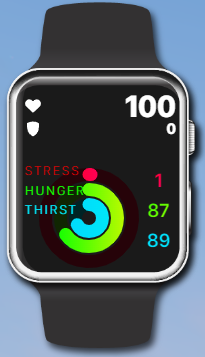
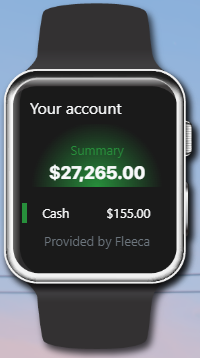
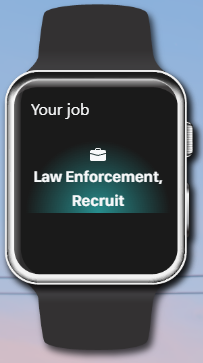
The watch currently has 5 screens
- Statistics
- Bank and cash
- Job
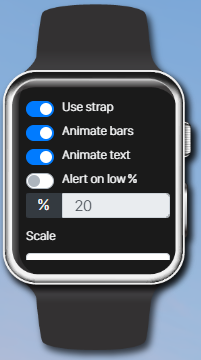
- Settings
- Digital clock
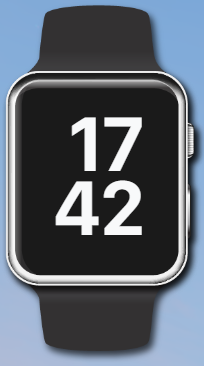
Users can move the watch in case it overlaps with other UI elements or to their preference and the text and progress bars are fully animated.
Statistics
- Health
- Armor / Oxygen (Depends if the player is in water or not)
- Stress
- Hunger
- Thirst
Settings
- Remove watch strap
- Remove text animations
- Remove progress bar animations
- Set an alert when your hunger/thirst is low
- Scale the size of the entire watch
Features
- Built-in basic needs system Replaces esx_basicneeds with our highly configurable built-in system which is also much easier to configure.
- Built-in status system Replaces esx_status with our built-in system which is also more optimized.
- Built-in stress system Includes a highly configurable stress system.
- Status saves to database A players hunger, thirst, and stress can be saved to the database.
- Anti-spam usable items If the usable food/drink items are spammed, they will get added to a queue and the animations will execute one at a time .
- Drag-and-drop compatibility We have added drag-and-drop compatibility to ensure installation is as easy as possible for new developers.
- Reset status staff command We have included a staff command which will allow staff to reset the status of a player.
- Under water oxygen When in water the oxygen will replace the armor, this is a custom method of handling how long a player can stay under water and how long it takes for oxygen to recover when not under water, this is fully configurble.
- Multiple use methods You can open the watch UI by using a key press, chat command (without item checks), chat command (with item checks), or by using the watch item.
- Add your own apps We provide the information for experienced developers to create their own apps on the watch UI.

Want to learn more about the script?
Check out our Documentation Website which includes the installation guide, “how-to” guides, common issues, debugging guide, and a full preview of all of the configs and locales/translations.
All Support is handled through the Codesign Discord Server.