Dependencies
- 💝 Supports
ESX, QBCore, vRP, or works standalone.
Feature Overview
-
🛻 Vehicle & Plate Detection
Automatically detects vehicles and plates of passing vehicles -
💨 Setting speed limits
Set the speed limit, let the radar do the rest. -
🚫 BOLO's
Create, edit and delete BOLO's for specific vehicles -
💾 BOLO Database
View or delete previous BOLO's -
🎨 Customisability
Change themes, sizes or position with ease.
This Police ALPR Radar script is useful for law enforcement. ALPR stands for Automatic License Plate Recognition. The script allows officers to track the license plates of passing vehicles and receive real-time notifications about any matches against a hotlist of wanted vehicles.
The script also features a user-friendly interface that displays the radar data and notifications in a clear and organized manner.
A couple of the standout features of this script are the ability to track multiple vehicles at once and log recently tracked vehicles. This allows officers to monitor traffic efficiently and quickly identify any vehicles that require further investigation. The script also includes a built-in alert system that can be configured to notify officers via sound or notification, making it an indispensable tool for any police department.
Overall, the Police ALPR Radar script is a highly functional and customizable tool that enhances the realism and effectiveness of police roleplaying in FiveM. Whether you're patrolling the streets or conducting a stakeout, this script is a must-have for any serious law enforcement roleplayer.
Screen 1 (radar)
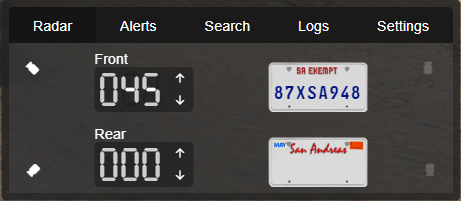
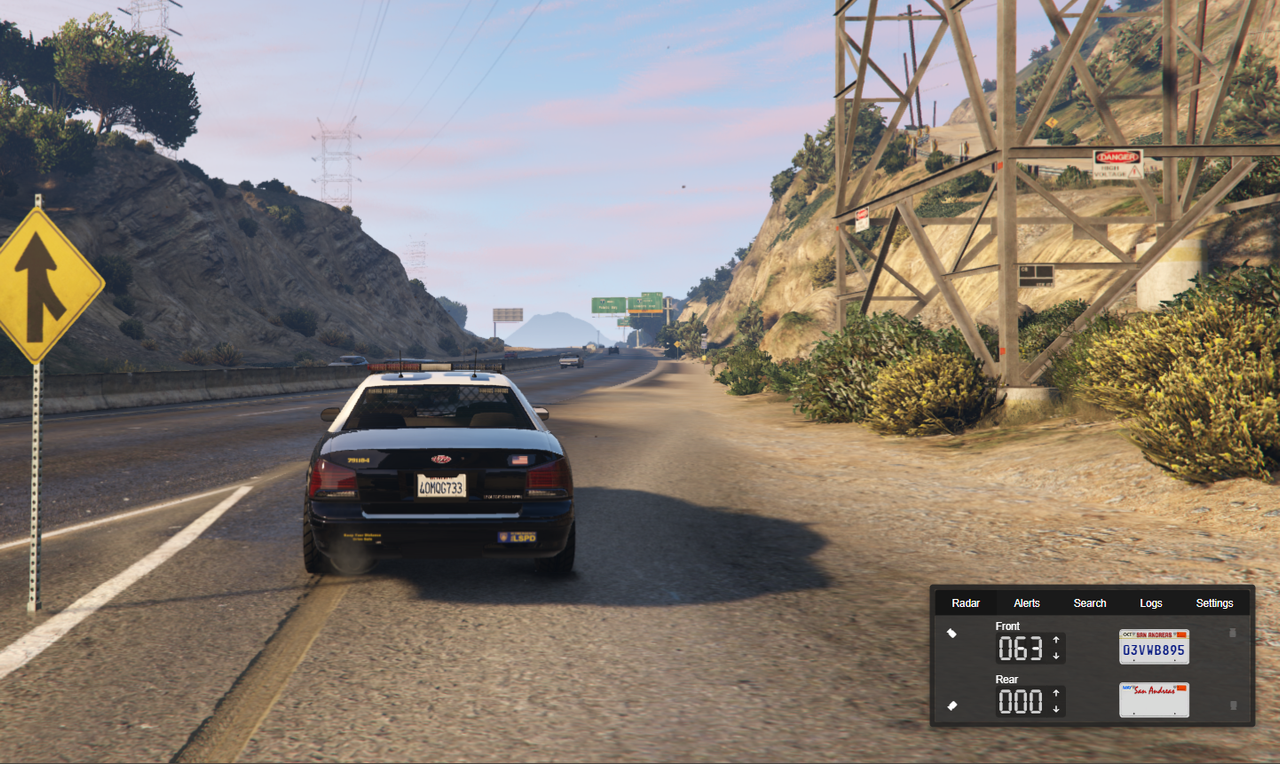
This screen displays the plate and speed readers. It can switch between its 4 cameras and change your target speed limit for each camera to catch speeding vehicles. The radar can auto-lock and ping you when a speeding vehicle passes by.
Screen 2 (create bolo/marker)
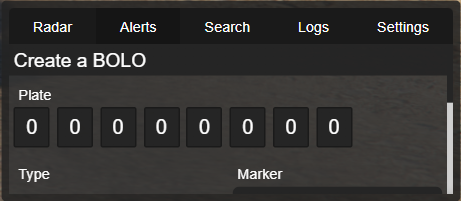
This screen is where police can add a bolo or marker to a vehicle and save it to the police database. This data is stored in a text file. The radar will auto-lock and ping you when a vehicle with a bolo/marker passes by.
What is a "BOLO"? A BOLO list, or “be on the lookout” list, is a list of license plates kept by the police to identify or locate a particular vehicle or a person believed to be connected to that vehicle. A license plate may only be placed on a BOLO list for reasons that are legitimate and specific to a law enforcement purpose.
What is a "Police Marker"? A police marker is a big red bullseye registered on the police database against the vehicle's license plate. It indicates the vehicle may be of interest to them, so the police are much more likely to pull it over.
Screen 3 (search police database)
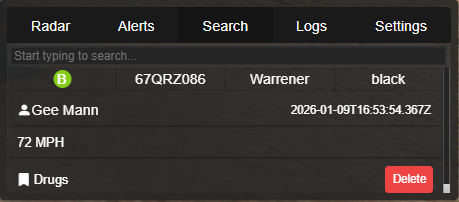
This screen is where police can search the police database to check if a vehicle has an outstanding bolo or marker. Police can also remove them from this screen.
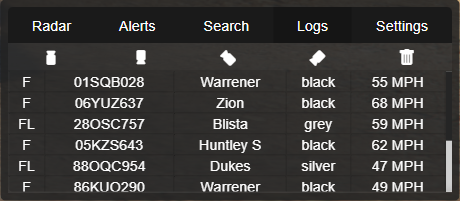
Screen 4 (logs)
This screen is where all of your ALPR's recent logs will be displayed. Any vehicle your radar scans will temporarily log here for you to view later. It logs data such as the vehicle's plate, model, colour, speed and the camera which caught them. You can filter which camera logs are displayed and also delete all logs. From this screen, you can also right-click and quickly add a vehicle bolo/marker, check the owner of a vehicle, delete a single log or copy the logs data of a vehicle to your clipboard.
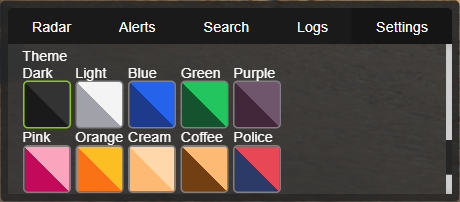
Screen 5 (settings)
This screen contains all of the settings of the radar, which each player can customise to their personal preference. This data is saved and will re-apply after a relog, server restart etc.
Other Features
-
Moveable UI: The UI can be moved around your screen.
-
Resizable UI: The UI can be resized to fit your screen's resolution.
-
Standalone: This can be used completely without any framework.
-
Job/Identifiers/Ace Perms/Discord Roles: When configuring the radars permissions you can choose multiple methods simultaneously - View example here.
-
Server Synced Data: When adding/removing a bolo/marker the data is synced between all radar users and will sync after a relog/server restart.
-
Optimized: The client-side resmon runs at 0.02 while active and 0.0 when not police or not in a car.
-
Webhooks: Adding/removing a bolo/marker can be logged to discord with all of the vehicle & player's details.
-
Themes: Players can choose their themes.
Want to learn more about the script?
Check out our Documentation Website which includes the installation guide, “how-to” guides, common issues, debugging guide, and a full preview of all configs and locales/translations.
All Support is handled through the Codesign Discord Server.