Dependencies
Door Lock requires these in order to run
- 📋 Requirements
Permission checks (Ace / Discord Roles / Jobs / Identifiers)
Feature overview
Full features are listed at the bottom of the page
-
📝 Door Creation
Easy and interactive door creation system. -
✍️ Door Editing
Made a mistake? Change it through UI or by visually selecting a door. -
♻️ Converting doors
Switch from OX Doorlock or QB Doorlock with ease using our built-in converter -
➕ Importing doors
Pre-configured imports for Gabz, K4MB1, G&N Studios, TStudio by TurboSaif, Prompt, Kiiya (Partial) MLOs (With plans to include other creators). -
🚪 Door types
Regular, sliding or garage doors supported. -
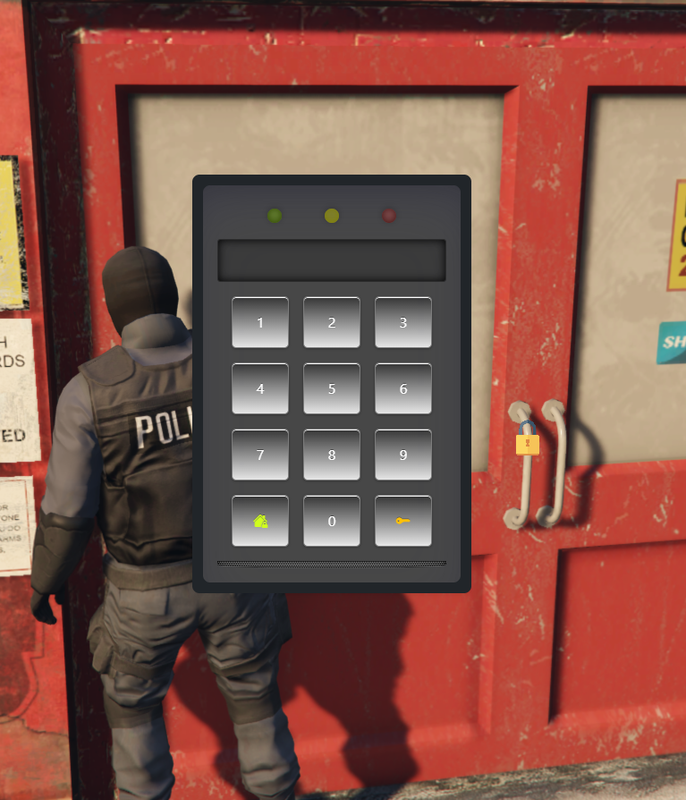
🔒 Passcode doors
Input a code - open the door -
🎥 Door cameras
Authorised users can view the door camera -
🔑 Lockpicking
Choose whether a door can be lockpicked or not -
📜 Discord logs
Keep a track of everything through Discord
What is this resource?
When creating this resource, the priority was to be as user-friendly as possible for new and experienced developers while still having all the advanced features a modern door lock system would need.
Our Doorlock allows you to include doors with a single click for these creators (with plans to include more)
-
Gabz
-
K4MB1
-
G&N Studios
-
TStudio by TurboSaif
-
Prompt Studios
-
Kiiya
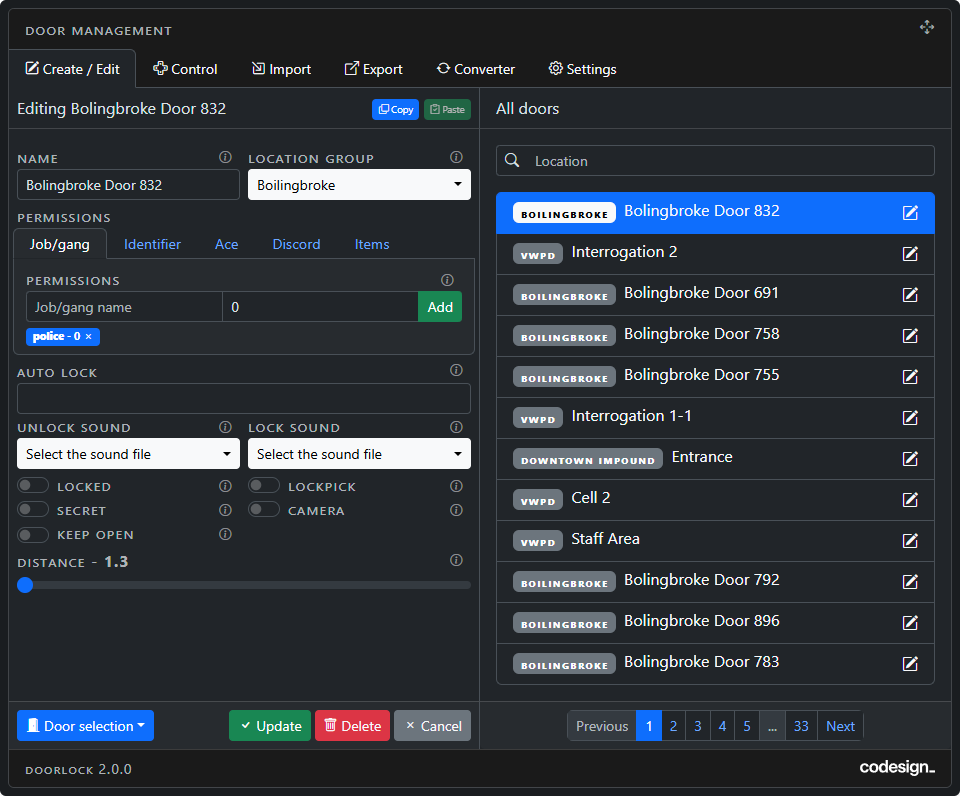
Screen 1 - Creating Doors
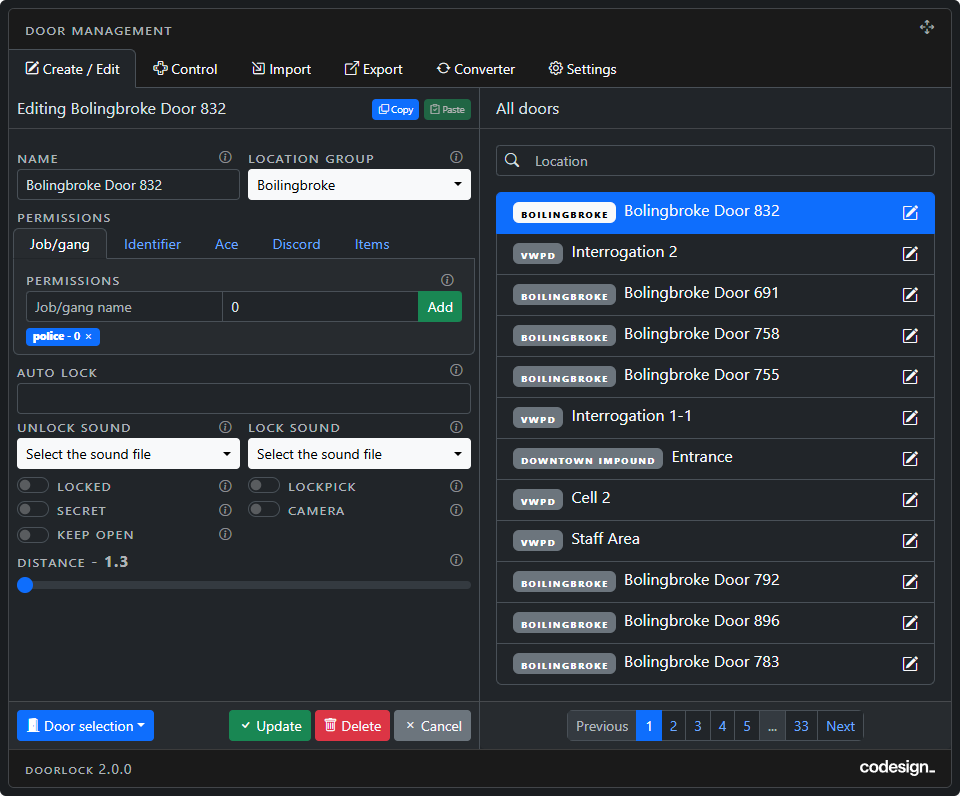
How to create new doors? Creating new doors is done through the in-game UI. Only those with admin permissions can create new doors. It uses a combination of our custom target system and configuration through the UI.
There are many optional settings you can configure when creating new doors such as:
-
Door Name: Name of the door to keep things organised.
-
Location Group: Location groups are what each door in a map is linked to (eg., every door in MRPD would be included in this location group). This makes it easier to keep things organised and gives the option to delete every door in a map.
-
Permissions: You can choose from jobs/gangs/identifiers/ace perms/discord roles as permission methods for doors - View example here.
-
Sound: You can choose from multiple pre-configured sounds or add more sounds. (you can preview each sound from the UI and the sound can be disabled).
-
Locked: Do you want this door to be locked by default?
-
Lockpick: Do you want to allow civilians to be able to attempt to lockpick this door? (you use your own minigame for the lockpick).
-
Secret: Do you want this door to have the lock icon/draw text UI visible or hidden?
-
Camera: Do you want to activate this doors door camera?
-
Passcode: Do you want this door to have a passcode?
-
Distance: The distance you can interact with this door.
Copy/Paste: You also have the option to use the copy/paste door setting buttons to help with creating/editing a large number of doors.
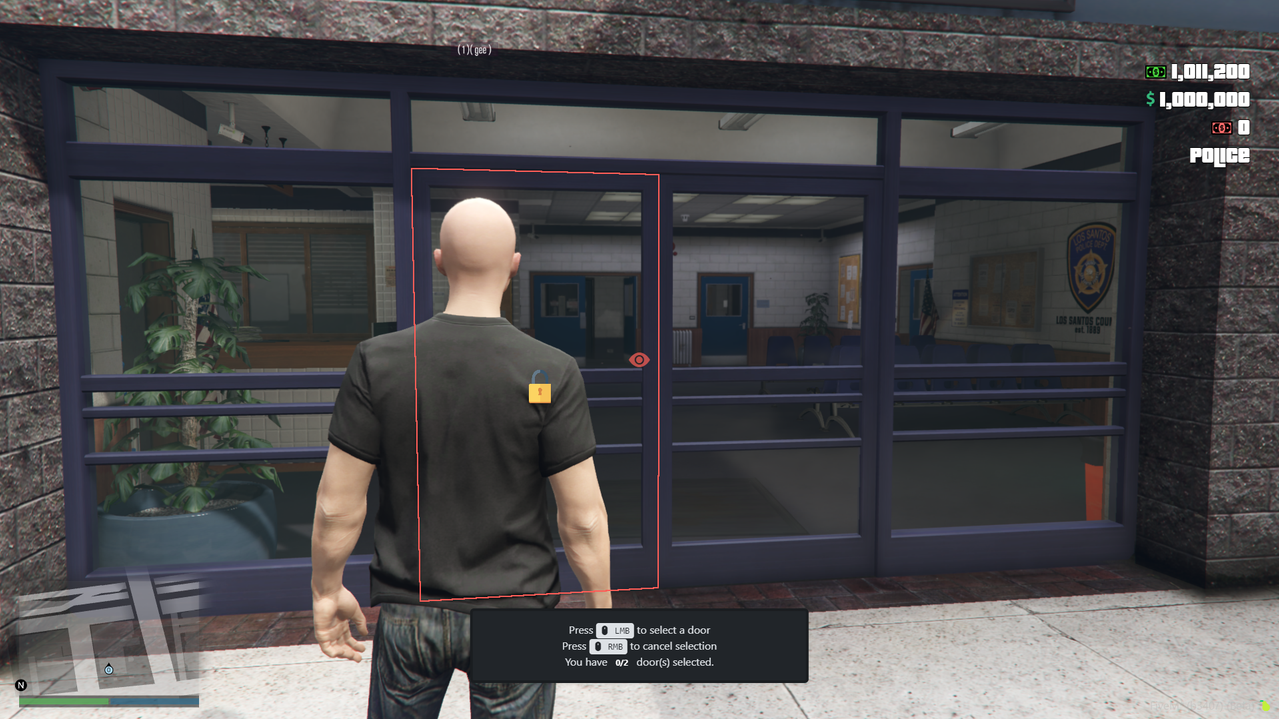
Screen 1 - Editing Doors
How to edit doors? Editing doors is done through the in-game UI. Only those with admin permissions perms can edit doors. The changes take effect immediately.
Screen 2 - Door Control
-
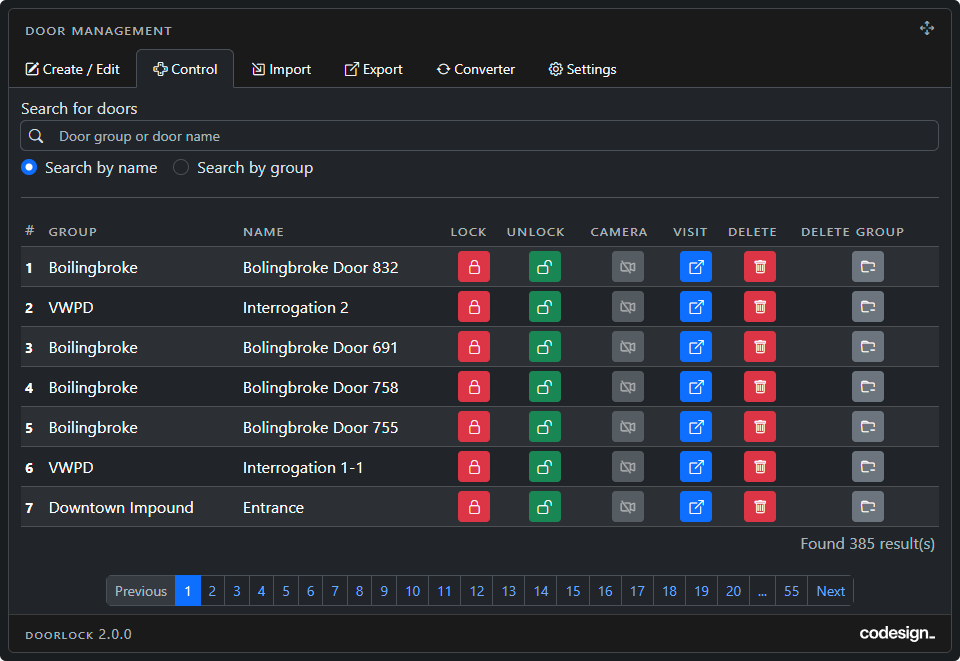
Search: You can view all doors or search for specific ones or locations.
-
Remote Lock/Unlock: Players can remotely lock/unlock doors via the UI.
-
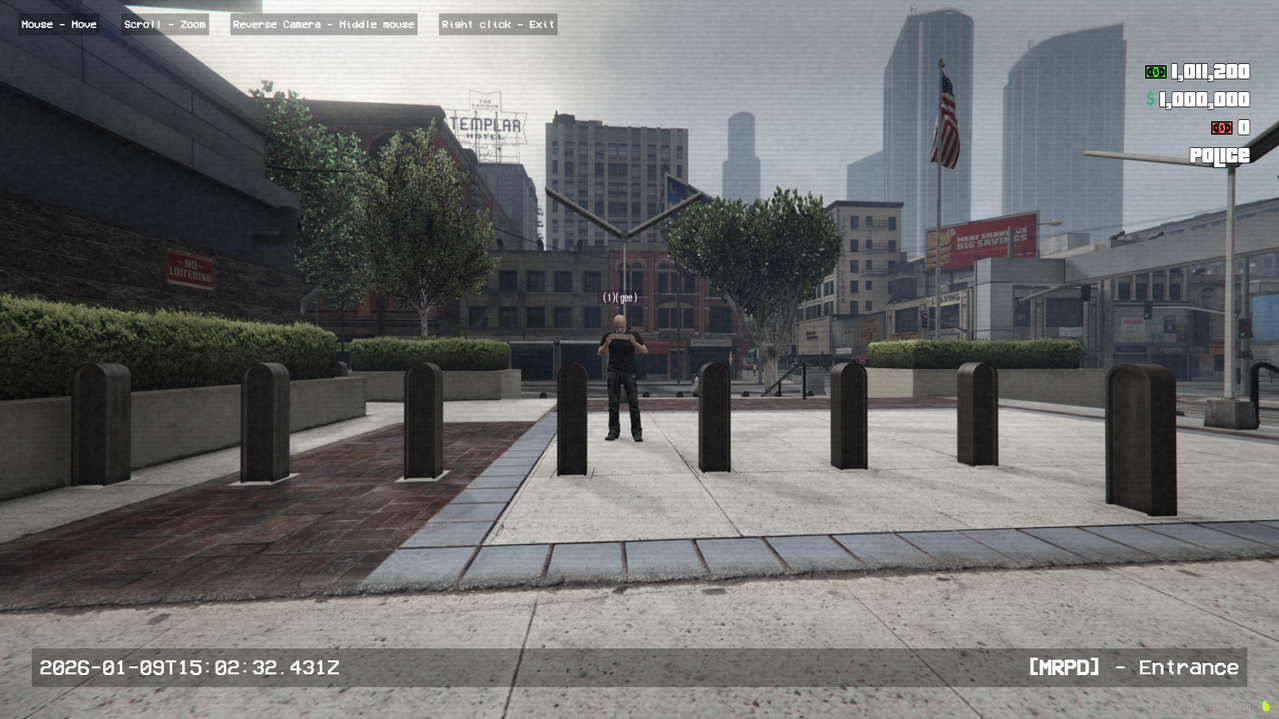
Door Camera: If a door has a door camera enabled, you can remotely view this camera. While in this camera you can use the mouse to move the camera around, zoom in and reverse the camera to view the other side of the door. It also displays the door name and the location group name.
-
Visit: If you have admin permissions clicking this button will teleport you to this door. Otherwise, it will set a waypoint to this door.
-
Deleting Single Door: Deleting doors is done through the in-game UI. Only those with pre-defined admin perms can edit doors. You can easily delete door locks for individual doors.
-
Mass Delete Doors: You can also delete a whole map's door locks with a single click and the changes take effect immediately. (eg., the 100+ doors for Bolingbroke prison can be deleted instantly with a single click).
Note: The option to delete doors is only visible to admins.
Screen 3 - Importing Doors
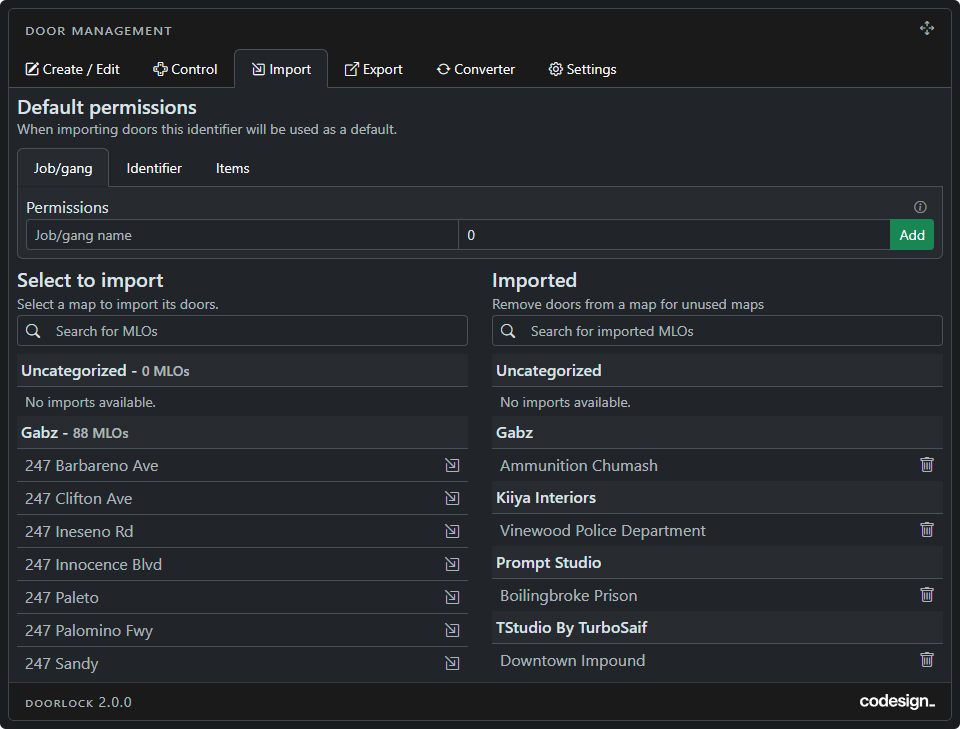
This resource is made as simple to use as possible You can choose which map(s) you want to import the door lock files for and the script will set them up automatically for you. You can have 2500+ doors fully configured with just a few clicks.
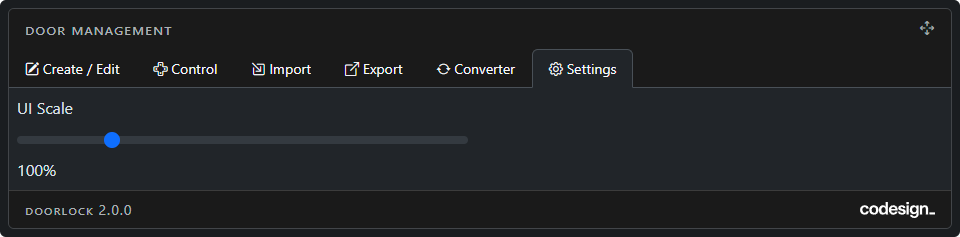
Screen 4 - Settings
The size of the UI can be changed here.
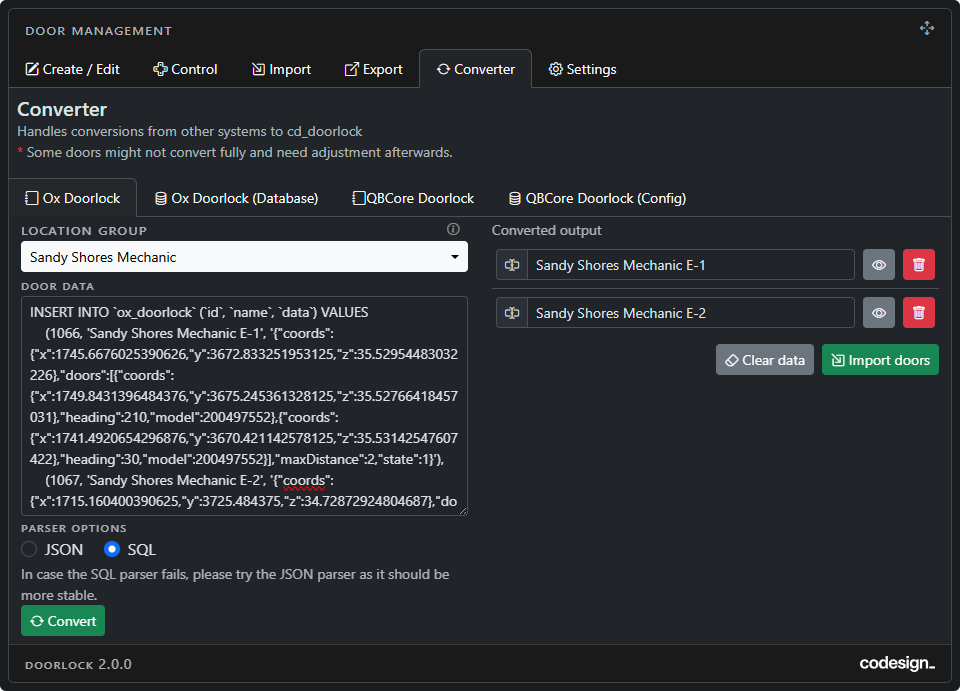
Screen 5 - Converter
Doorlock 2.0 Now supports converting your doors from Ox Doorlock and QB Doorlock (both database / config and paste-in data) to our system making the transition easier
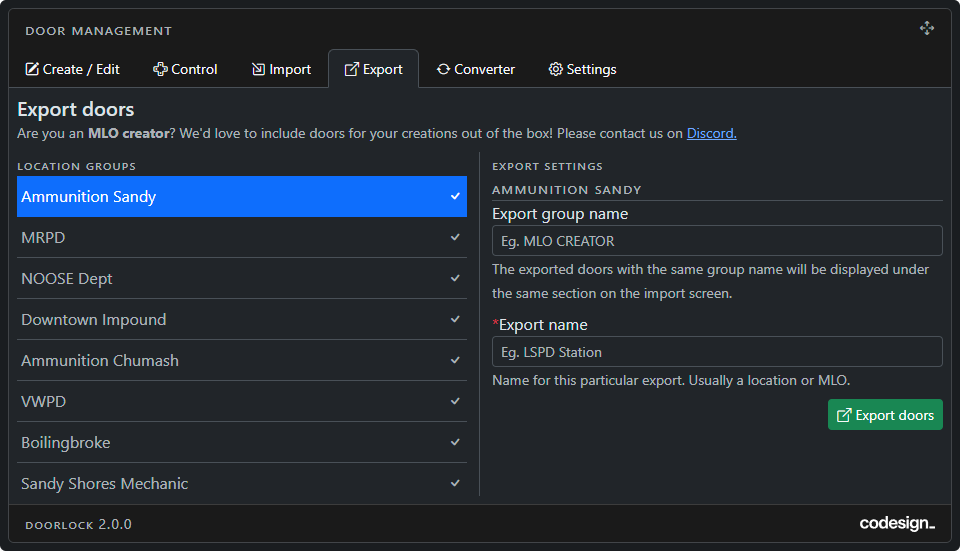
Screen 6 - Export
Doorlock 2.0 Now supports exporting doors by their location group.
A feature useful for transferring specific doors from servers or exporting doors for certain MLOs
Other Features
-
Door Passcodes: You can set passcodes for doors which allow any player to access regardless of the job.
-
Discord Webhooks: Webhooks can be configured to send a message in your discord when an admin creates/edits/deletes a door.
-
Custom Target: We have included our built-in optimized target system to reduce dependencies on other resources.
-
Built-in DrawTextUI: We have included our custom built-in drawtextUI which changes colours based on the door lock state.
-
Standalone: This can be completely standalone and does not require any framework.
-
Job/Gang/FiveM Identifiers/Framework Identifiers/Ace Perms/Discord Roles: When configuring admin or door permissions you can choose from multiple permission methods simultaneously, even for the same door - View example here.
-
Optimized: When not in use the client-side resmon runs at 0.01.