Dependencies
CCTV requires these in order to run
- 📋 Requirements
Standalone, ESX and QBCore suported, Custom framework require some modifications
Feature Overview
-
📷 Creating Cameras
Interactive camera creation, placement and permission settings. -
👇 Usable Items
Allow regular players to place their own cameras. -
🗂️ Camera Management
View, edit, delete and manage access. -
💥 Destroyable Cameras
Cameras can be destroyed if chosen when creating. -
💻 Hackable Cameras
Cameras can be hacked if chosen when creating. -
🏃 Motion Sensor Cameras
Cameras can notify owners of player presence.
Full features are listed at the bottom of the page
Our CCTV script is an advanced surveillance system that lets players set up and manage security cameras within the game world. With our script, players can place and control multiple cameras, view live feeds on monitors, and receive notifications when something suspicious is detected.
This is perfect for role-playing scenarios. Players can use it to simulate different security and surveillance systems, such as in banks, police stations, government facilities and even your home. It's also great for creative purposes, such as making cinematic videos or creating virtual reality shows.
Overall, this CCTV script is easy to install and use, with detailed instructions and support from our team. With its advanced features and flexibility, our script is a must-have for any serious FiveM player looking to enhance their gaming experience.
Placing CCTV Cameras
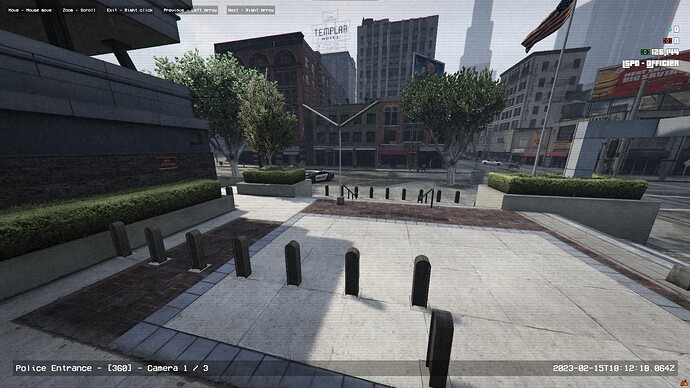
Different types of CCTV cameras? 3 different types of cameras can be configured in the config. They all function differently when viewing them:
Fixed: You can not rotate the camera or look up and down; you can only zoom in.
180°: You can rotate the camera 180°, look up and down and zoom in.
360°: You can rotate the camera 360°, look up and down and zoom in.
Who can place CCTV cameras? Any player with a usable camera item can place a camera, so you can choose which players can use them:
-
You can add camera items to your civilian shops for everyone to buy.
-
You can add the camera items to your police equipment shop for police only to buy.
-
Your admins/staff can place cameras manually and give other players/jobs access to view these cameras.
In the config, you can allow cameras to be placed by using chat commands, but this is primarily for standalone servers.
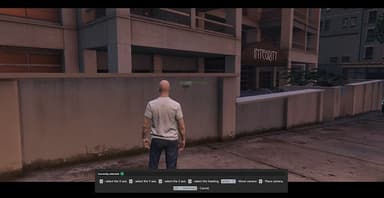
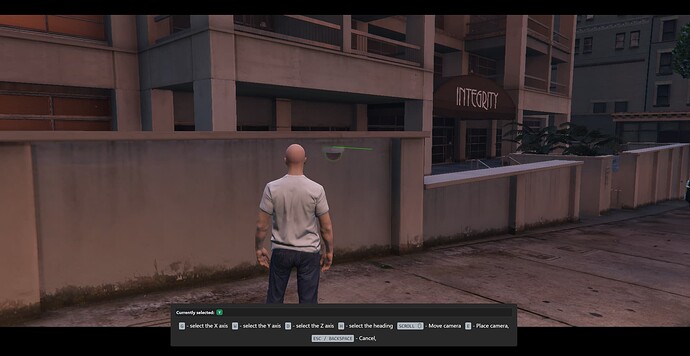
How to place a CCTV camera? You can start placing cameras using the usable item or chat command. The CCTV camera prop is placed using our built-in target system, so you use your mouse to choose where to place it.
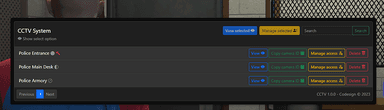
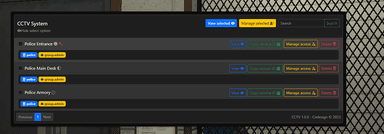
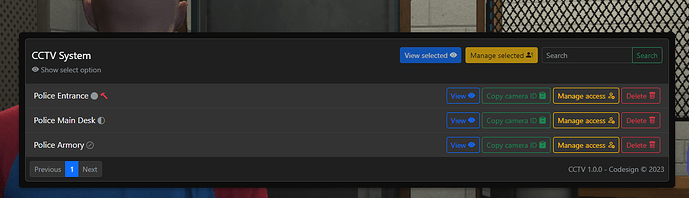
CCTV Management UI
Only cameras you have placed or been given access to will be visible on this UI.
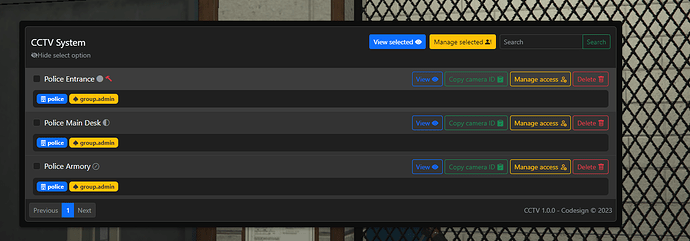 There are many options on this UI for managing the cameras, such as:
-
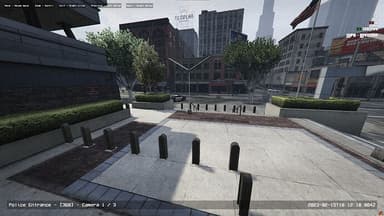
View Single Camera: You can view a single camera.
-
View Selected Cameras: You can select multiple cameras to view and use the arrow keys to switch cameras.
-
Manage Access: You can give other players access to view a camera you have placed. You can give access in multiple ways, such as; job, gang, identifiers, ace perms and discord roles - View example here.
-
Manage Selected Access: This functions like managing access to a single camera, but you can manage multiple all-in-ones to save time.
-
View Access: You can view who has access to this camera.
-
Search: If you have many cameras, use the search bar to find specific ones.
-
Delete: You can delete the cameras you have placed.
-
Copy Camera ID: Each camera has a unique id; these camera ids are only visible to admins and are used for camera hacking.
Other Features
-
Hacking Cameras: On our Documentation Website, we have provided exports for you to allow criminals to hack any camera to either gain access to view them or disable them for x amount of minutes. You can hack a single camera or all cameras within a distance.
-
Detection Alert: You will receive an alert if a player walks in front of your camera.
-
Visible Props: All CCTV cameras have visible props.
-
Destroyable Cameras: If a camera that can be destroyed is shot, it will be permanently deleted. Destroyable cameras are configured in the config.lua.
-
Persistent Cameras: Persistent cameras will save and reapply after a server restart.
-
Timed Cameras: Timed cameras will delete x amount of minutes after placing them.
-
Standalone: This can be completely standalone and does not require any framework.
-
Job/Gang/Identifiers/Ace Perms/Discord Roles: When configuring admin/camera access permissions, you can choose multiple methods simultaneously, even for the same camera - View example here.
-
Optimised: When not used, the client-side resmon runs at 0.00. When viewing a camera, it runs at 0.07.