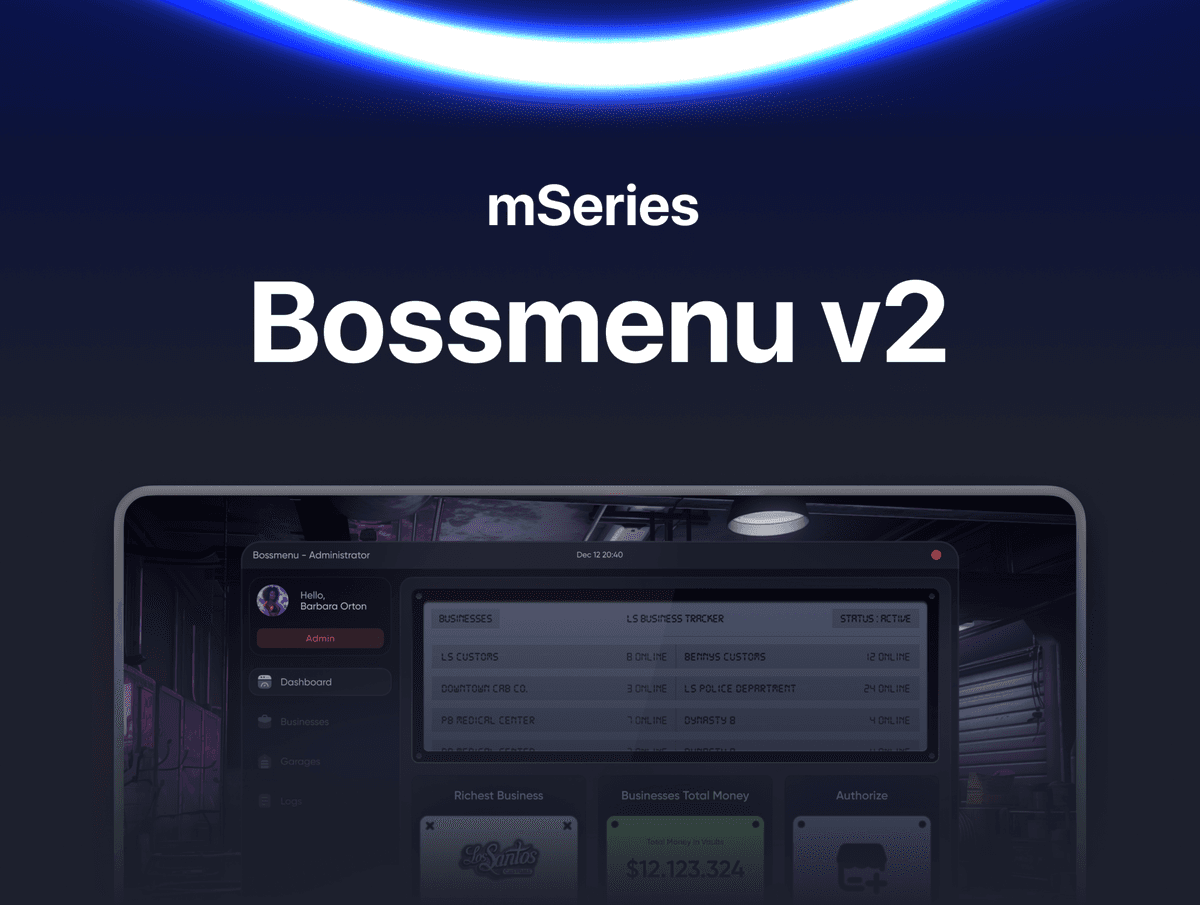
mBossmenu V2 - Lead Smarter, Run Bigger, Control Everything
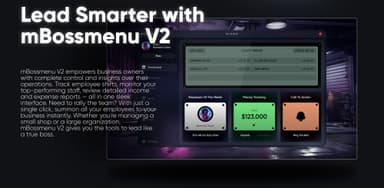
mBossmenu V2 empowers business owners with complete control and insights over their operations. Track employee shifts, monitor top-performing staff, review detailed income and expense reports - all in one sleek interface. Need to rally the team? With a single click, summon all your employees to your business instantly. Whether you're managing a small shop or a large organization, mBossmenu V2 gives you the tools to lead like a true boss.
Built from the ground up by CodeM as the most complete in-game business management system on FiveM.
FEATURES
- Sleek dashboard with LS Shift Tracker showing every employee's current shift duration in real time
- Employee Of The Week showcase with profile photo and total duty time
- Real-time Money Tracking with daily income and expense view
- Call To Action "Ring The Bell" feature that summons all your employees to the business with a single click
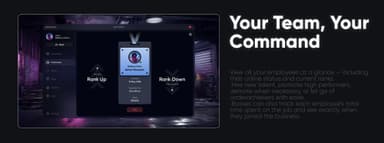
- Complete employee management - hire, promote, demote and fire directly from the menu
- Per-employee profile cards with avatar, online status, current rank, join date, total shift time and salary
- One-click Rank Up and Rank Down system with manager and junior tier indicators
- Powerful rank organization - create unlimited custom ranks (Boss, Manager, Senior Mechanic, Junior Mechanic and any custom tier)
- Granular per-rank permission system - Access To Bossmenu, Recruit/Rank/Fire Employees, Access To Vault, Access To Garage, Access To Logs, Access To Settings - all toggleable On/Off
- Full business logs page filtered by All, Employees, Ranks, Vault, Garage and Settings
- Tracked log events include New Recruit, New Rank, Employee Fired, Rank Adjustment, Money Withdrawal, Money Deposit and Inventory Action
- Searchable log history with timestamps and "by [user]" attribution for full accountability
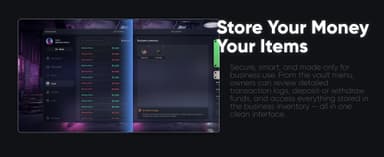
- Dedicated Vault system with detailed transaction history showing deposits in green and withdrawals in red
- Business Inventory grid - store items inside the business with quantity tracking, viewable from the menu but accessible only at the business location for realism
- Business Garage system - assign business-specific vehicles that employees can take out from a dedicated garage
- In-game garage UI showing live "Vehicles In Garage" list (9F Cabrio, Avendator, Kuruma, Asea and any vehicle you assign)
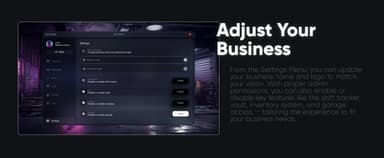
- Comprehensive Settings Menu - rebrand business name and upload a new logo via URL
- Toggle key features (Shift Tracker, Vault, Inventory, Garage) On or Off per business
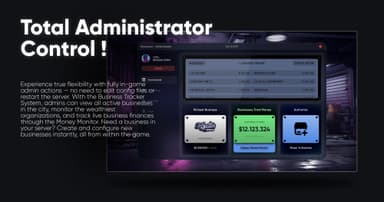
- Total Administrator Control - admins manage everything live in-game with no config edits or server restarts
- Business Tracker System showing all active businesses on the server with online employee counts
- Richest Business widget displaying the wealthiest organization on the server
- Businesses Total Money panel showing combined vault funds across all businesses
- Authorize Player To Business action - turn any player into a boss instantly
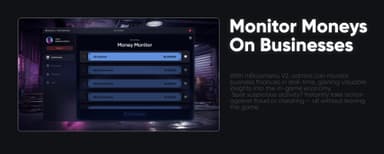
- Money Monitor - real-time ranked list of all businesses by vault balance for spotting suspicious activity and economy fraud
- Full business control panel - Delete Business, Fire Employees, Transfer ownership via Player ID, Unauthorize bossmenu access, jump into Business Settings or Business Logs
- Live business stat block - Total Employees, Money In Vault, Total Items In Inventory, Business Garage vehicle count, Current Boss
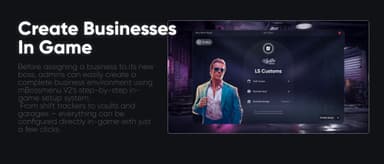
- Step-by-step in-game business creation wizard with logo upload, name and feature toggles (Shift Tracker, Business Vault, Business Garage)
- Admin Logs section tracking every admin action - New Business, Authorization, Unauthorization, Money Deposit, Money Withdrawal, Business Transfer
- Searchable admin log history for server owners to monitor high-rank admin behavior
- Modern tablet-style UI with clean dark theme and consistent design language across every section
- ESX and QBCore framework support
- Clean and readable codebase, ideal for custom integrations
- Full GitBook documentation and active 6/24 ticket support
Frameworks: ESX, QBCore
Documentation: https://codem.gitbook.io/codem-documentation/m-series/essentials/mbossmenu-v2
Support : https://discord.gg/codem