RedM Script - RicX Basic Server Info - RedEM:RP/QBR/RSG/VORP RedM Script
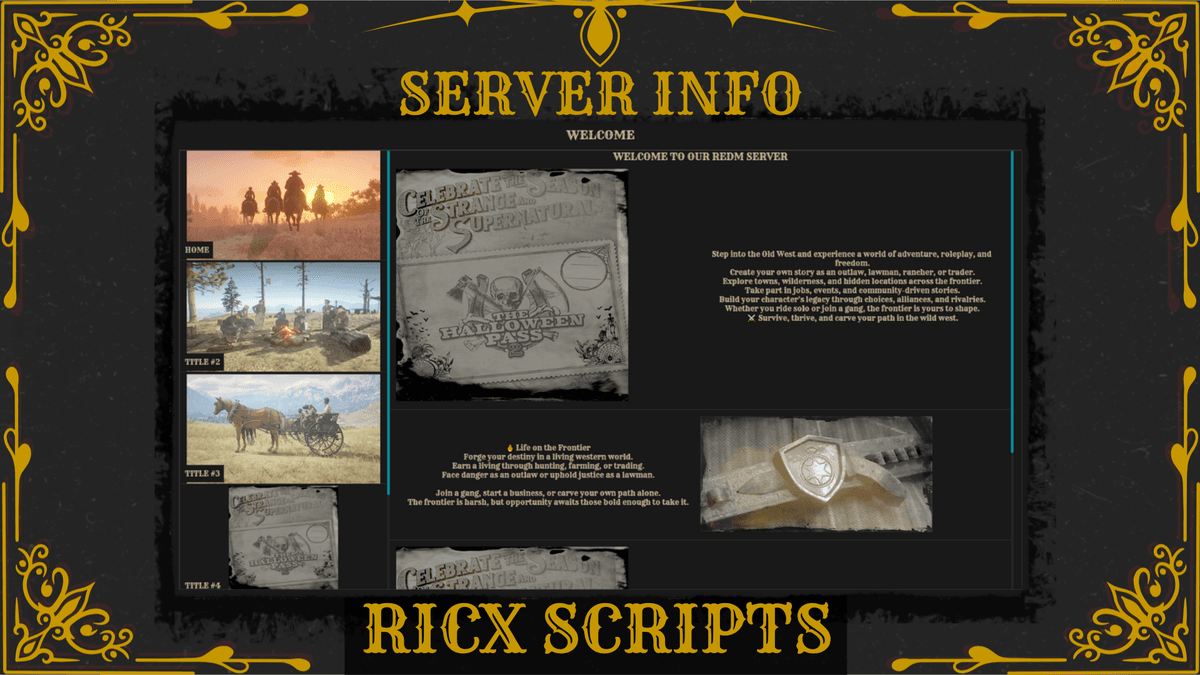
RedM Script to show different information about the RedM server for users in game after using a command to display the Info Panel. Any custom Submenu with any custom amount of panels with text and image can be configured easily.
Documentation
Features
-
Command to show Info Panel
-
Add any Submenu with any panel
Dependencies
- Standalone RedM
How to Install
-
Make sure the server is connected to the CFX account which has the package access
-
Put ricx_serverinfo into server-data/resources/
-
In server.cfg add "ensure ricx_serverinfo"
-
Change configured texts
-
Restart server
Locked Files
-
server.lua and client.lua are locked in the resource BY CFX ESCROW
-
events.lua, fw_func.lua and config.lua are opened