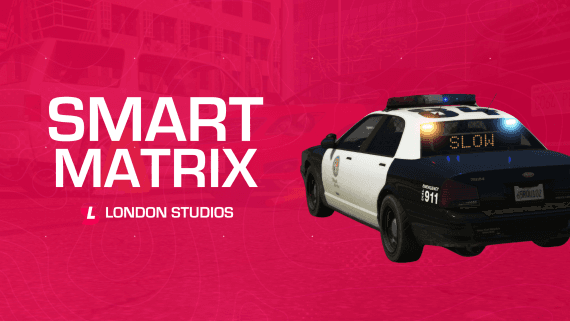


Smart Matrix
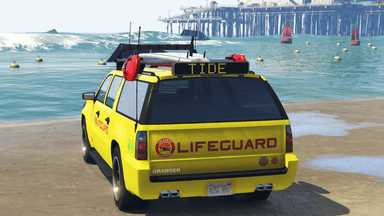
Smart Matrix allows you to install a dynamic matrix board onto any vehicle and update the text live in-game, bringing your roleplay to the next level as you can respond to any type of scenario.
You can type ANY words up to 7 characters, even multiple words and the board will flash between them.
Additionally, it automatically works for all emergency vehicles by default and you'll only need to configure a vehicle if you want a custom position.
Features
-
Type in anything: Using the simple /settext [text] command you can display any message on the board (words can be a maximum of 7 characters).
-
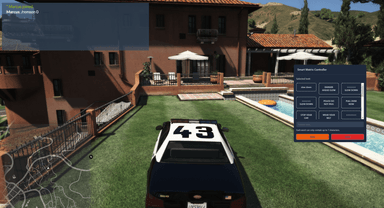
Control Menu: You can easily control the matrix board all from our custom menu, allowing you to select a message from a list of pre-set messages, clear the matrix board and even set a custom message.
-
Multiple Words: You can easily type in multiple words such as SLOW DOWN POLICE and the board will do the rest, flashing between all of them.
-
Custom Models: We’ve included a custom matrix board model with the resource, made by our team.
-
Vehicle Compatibility: By default it will work on most emergency vehicles (with a class of 18). However, if you want to add additional vehicles or just want a custom position (such as at the top of the vehicle), you can do this with our config file.
-
Automatic Centering- We’ve added automatic centering, meaning smaller words won’t be pushed to the left of the board by default. This looks cleaner and more professional.
Compatibility
-
Standalone
-
Ace Permissions
-
QBCore
-
vRP
-
ESX
Documentation & Support
The documentation for this resource can be viewed here and our support team are available to help daily with any questions or assistance needed here.