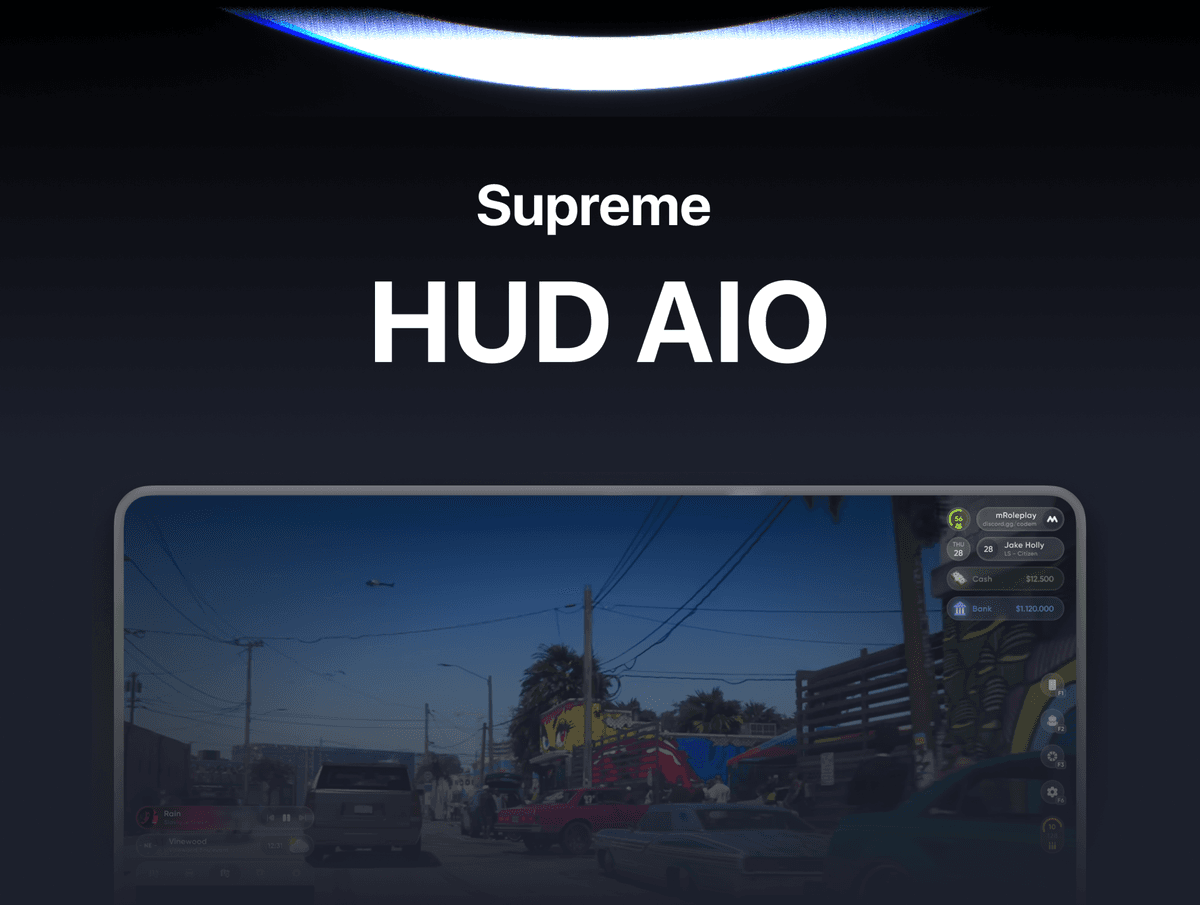
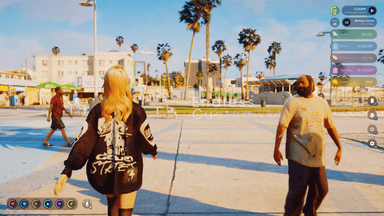
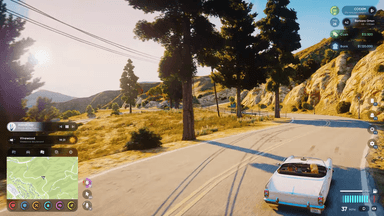
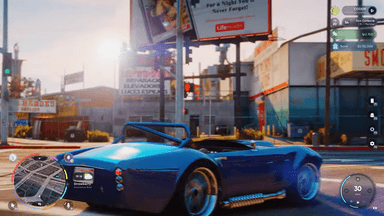
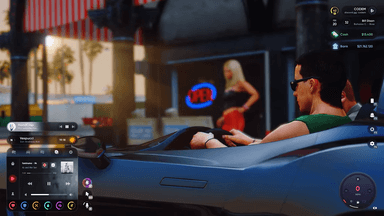
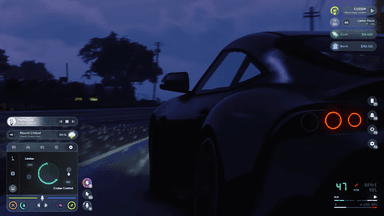
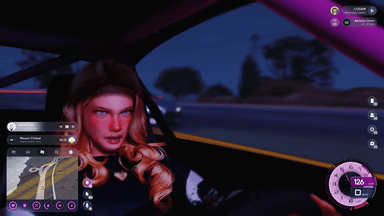
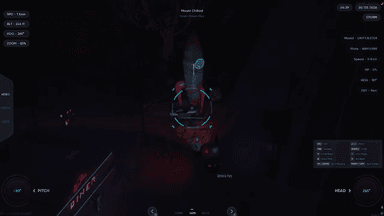
Supreme HUD — A complete all-in-one HUD system for FiveM roleplay servers.
Supreme HUD is a fully-featured, deeply customizable heads-up display built for serious roleplay servers. It combines status bars, speedometers, minimap control, vehicle systems, stress mechanics, FLIR camera, voice assistant, music player, navigation, and a full player settings panel into a single polished resource. Every element is player-configurable with themes, drag-and-drop positioning, presets, and export/import support.
FEATURES
-
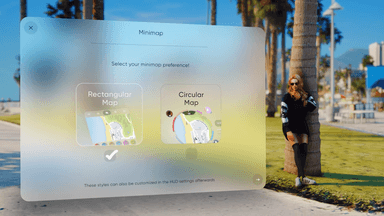
Two HUD Layouts — Rectangular layout with a modular detachable player info panel and keybinds panel, or a Circular layout with page navigation (Vehicle, Music, Nav, Settings). Players choose their preferred layout in settings.
-
Player Info Panel — Displays server name, online count, Discord, player name, job, server ID, cash, bank balance, marked/dirty bills (QBCore & QBox), society/boss account balance, and a custom coin/token counter. Each row is individually toggleable. The entire panel is detachable — when detached, every row becomes independently draggable anywhere on screen.
-
Drag & Drop Placement Editor — Full drag-and-drop positioning for all HUD elements. Scale elements up or down, right-click for context menu, save positions per HUD type, and export or import full layout presets with a share code.
-
Theme System — All HUD elements support Dark, Light, and Dynamic themes. Dynamic automatically adapts based on in-game time of day.
-
10 Speedometer Types — Auto-switching speedometers for cars (Default/Circular), Drift, Motorcycle, Sport (Yolante), Sport Plus (Ferrante), Bicycle, Airplane, Helicopter, and Boat. The active speedometer switches automatically when entering different vehicle types or installing mods. Supports KMH/MPH, per-type color customization, per-type saved positions, glassmorphism blur, and 30/45/60 FPS refresh rate.
-
Status Bars — Health, Armor, Hunger, Thirst, Stress, Stamina, and Oxygen (diving). Three visual styles: supreme-percentage, supreme (clean), and mserie. Per-bar color customization, optional minimap attachment, glassmorphism blur, and adaptive update intervals for performance.
-
Stress System — Realistic stress mechanics with configurable increase sources (shooting, getting shot, melee, speeding, crashes, falling, ragdoll, low health, drowning) and passive/item-based decrease. Screen shake at 75+, blur effect at 90+, optional blackout at 100. Job whitelist for police and emergency services. Fully configurable per-source amounts and cooldowns.
-
Minimap Control — Square or circle shape, item-required visibility on foot (default: phone), big map toggle (Z key), and custom minimap texture support via the stream folder.
-
Focus on Roleplay — Optional per-player setting that automatically fades the HUD out after a configurable idle period (default 10 seconds). Reappears on any keyboard/mouse activity, entering vehicles, drawing weapons, or money changes.
-
FLIR Camera — Full Forward Looking Infrared camera system for supported helicopters. Thermal, Negative, and Normal vision modes. Three camera modes: HDEO (free-look), FOCUS, LOCK. Spotlight with adjustable distance and radius. Target info overlay showing player name, mugshot, server ID, vehicle model, plate, speed, health, heading, and distance after a scan delay. Mask detection and signal jammer item support for counter-measures.
-
Vehicle Mods System — Four performance modes: Comfort (stock), Drift, Sport (Yolante speedometer), Sport Plus (Ferrante speedometer). Requires item consumption for installation (drift_chip, performance_chip, racing_chip). Real physics modifications applied per mode. Database persistence saves mods per vehicle plate across restarts. Open with F8 or /vehiclemods.
-
Seatbelt System — Toggle with B key. Audible beep warning above 30 km/h. Configurable windscreen ejection with four difficulty levels: low (~45 km/h), medium (~72 km/h), realistic (~60 km/h), high (~126 km/h).
-
Nitro System — Percentage-based nitro tank (default 20 seconds full). Hold LSHIFT to boost. Exhaust flames, backfire sparks, and purge effects. Electric vehicle detection disables exhaust flames automatically. Requires nitrous item.
-
Turn Signals & Siren Detection — Left/right indicators and hazard lights with keyboard controls. Automatic siren indicator when driving configured police or EMS vehicles.
-
Manual Transmission — Players toggle between automatic and manual in settings. Shift up with E, shift down with Q.
-
Speed Limiter & Cruise Control — Cap maximum speed or maintain current speed without holding throttle. Available through the vehicle panel.
-
Drift Counter — Score overlay on the Drift speedometer with combo multiplier, minimum angle/speed thresholds, combo timeout, and collision reset.
-
Helicopter Hover Mode — Toggle stable hover with J key.
-
In-Vehicle Music Player — Driver controls synced YouTube playback for all passengers. Playlist and like system with persistent database storage. Nearby players within 15 meters hear the music. Closed window muffling effect reduces external volume to 35%.
-
FastNav Navigation — Quick waypoint system for ground vehicles, helicopters, airplanes, and boats. Preset destinations for gas stations, ATMs, hospitals, police stations, garages, mechanics, stores, banks, clothing, barber, tattoo, and more. All navigation point data editable in JSON files.
-
HUD Presets System — Save complete HUD configurations including all settings, element positions, scales, and detached panel layouts. Preview any preset for 3 seconds before applying. Export and import presets via share codes to quickly apply a setup on any character.
-
Voice Assistant — WIT.AI-powered in-game voice command system. Trigger engine start/stop, hazard lights, inventory, phone, window controls, and more by speaking preset phrases. Free WIT.AI API token required. English and Turkish command sets included. Custom commands fully configurable.
-
HUD Settings Panel — Full in-game settings panel (F7 or /hudsettings). Controls all HUD options including layout, themes, bar types, speedometer style, minimap shape, streamer mode, cinematic mode, refresh rate, postal code display, and more. Server name, Discord link, and logo displayed in the panel.
-
Society Money Display — Job/society account balance shown to boss-rank players. Auto-detects qb-banking, renewed-banking, esx_society, esx_addonaccount, okokBanking, codem-bossmenuv2, mBossmenu. Custom bridge support available.
-
Custom Player ID Support — Override server ID display with a custom identifier via a configurable function (e.g. citizenid, character ID).
-
Keybinds Panel — Configurable quick-action key indicators (F1 Phone, F2 Inventory, etc.) with custom icons, order, and per-item visibility control. Show/hide individual keybinds via events.
-
Job Abbreviations — Display shortened job names in the player info panel (e.g. LSPD instead of Los Santos Police Department). Per-job abbreviation table in config.
-
Coin/Token System — Optional custom currency display in the HUD. Display-only, not an actual currency system.
-
Marked Bills Display — Dirty money display for QBCore and QBox.
-
Hunger Sound — Stomach growl sound when hunger drops below a configurable threshold. Nearby players within a configurable radius can hear it.
-
Glassmorphism Blur — Optional blur effect behind HUD elements. Can be disabled server-wide via config for performance.
-
Server-Side Element Control — Force-disable individual info bar elements server-side so players cannot see or toggle them.
-
Multi-Language Support — English, Turkish, and Spanish locale files included.
-
Developer API — TextUI (Show/Hide/IsVisible), ProgressBar (with cancel support, callbacks, and isDoingSomething check), HUD Show/Hide/Toggle, server-side client events, QB-Core and ox_lib compatibility exports.
FRAMEWORK SUPPORT
-
QBCore (Old & New)
-
QBox
-
ESX (Legacy & Modern)