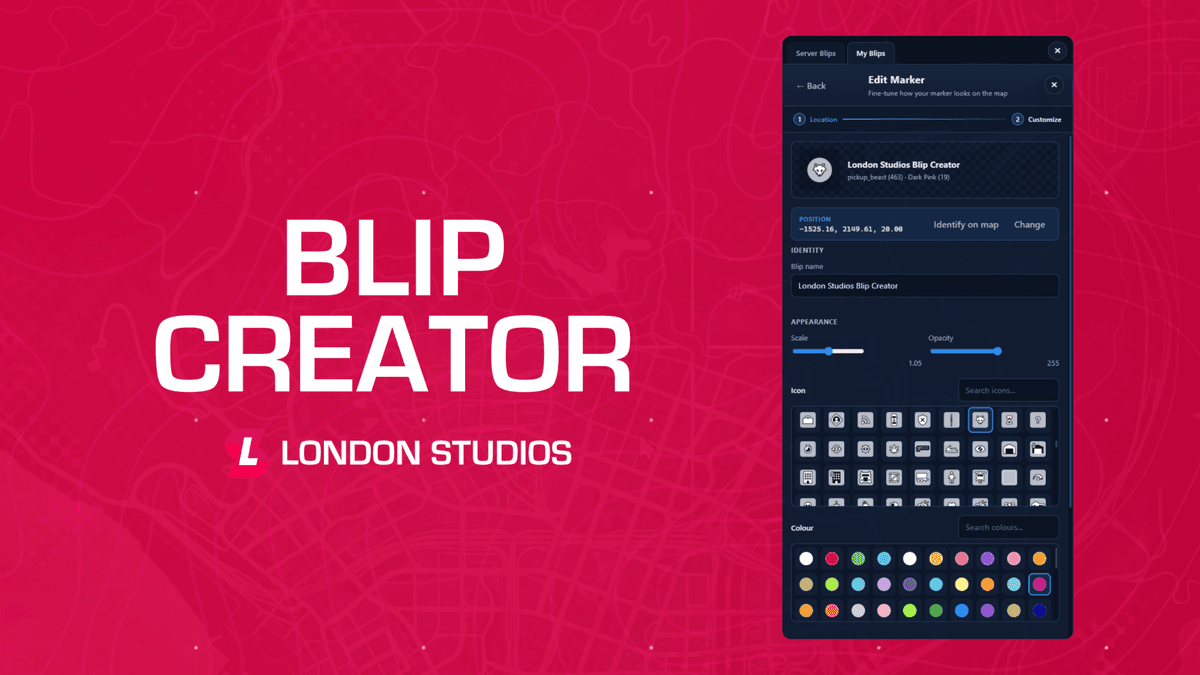
Blips Creator brings a fully interactive, in-game map marker system to your server, letting staff and players create, edit and manage blips without ever touching a config file. Straight from the pause map, a clean and intuitive panel puts sprite, colour, zone and visibility controls at your fingertips, with a live preview so every blip looks exactly right before it's saved.
Designed to work seamlessly across standalone, QBCore, ESX, vRP and QBX servers, this system turns map management into a structured, permission-driven experience where server-wide blips, private player markers and shared locations all live in one place.
Features
-
Interactive Blip Creator: Open a clear, intuitive panel directly from the pause map to create, edit and delete blips without editing a single config file.
-
Server & Personal Blips: Manage shared server-wide blips as staff, or let players create their own private "My Blips" markers that only they can see.
-
Visibility Groups: Control exactly who sees each blip using configurable groups such as Everyone, Police and EMS, tied to ACE permissions, jobs or framework groups.
-
Full Blip Customisation: Fine-tune sprite, colour, scale, transparency, outline, display mode, short-range visibility and custom name with an instant live map preview.
-
Zone Markers: Add coloured radius circles around blips to highlight patrol areas, safe zones or points of interest on the map.
-
Map Placement Tool: Drop blips exactly where you want by picking a location straight on the map, with a live preview before you commit the change.
-
Blip Sharing: Let players share personal blips with nearby players, who can accept or reject the invite from a dedicated Shared Blips panel.
-
Identify & Route: Instantly drop a temporary GPS route to pinpoint a blip's real-world location, or set a route to any saved blip in a single click.
-
No Database Required: Blips are saved to a simple JSON file and persist across restarts, with no SQL setup or dependencies needed.
-
Framework Permissions: Restrict who can open, create and manage blips using ACE permissions, or ESX, QBCore, QBX and vRP jobs, groups and permissions.
-
Native Notifications: Uses your framework's notification style including ESX, QBCore, QBX, vRP and okokNotify, with a clean GTA fallback when none is set.
-
Discord Logging: Send create, update and delete actions to a Discord webhook to keep a full audit trail of every blip change.
-
Per-Player Limits: Set maximum personal blips per player and name length limits to keep player-created markers tidy and controlled.
-
Full Localisation: Every player-facing string is translatable from the config, so you can adjust wording or run the script in any language.
-
Highly Configurable: Adjust permissions, defaults, visibility groups, sharing, notifications, hotkeys, zone settings, Discord logging and more.
Documentation & Support
The documentation for this resource can be viewed here and our support team are available to help daily with any questions or assistance needed here.