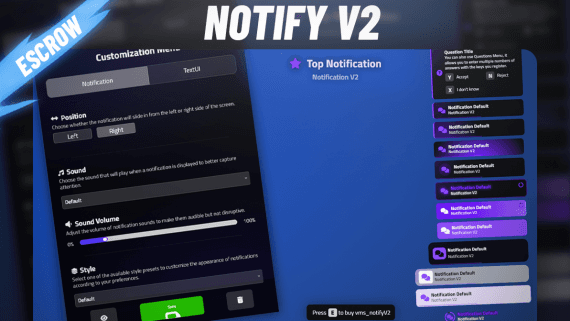

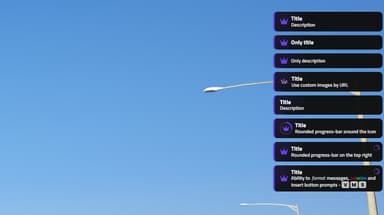
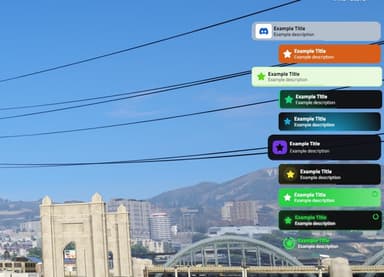


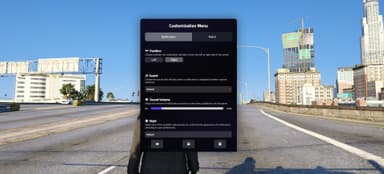
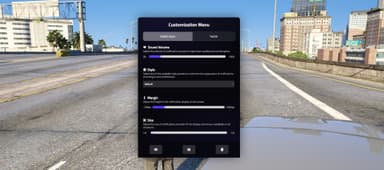
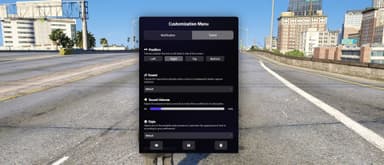
Notifications, TextUI, announcements and interactive question menus, all in a single, lightweight user interface resource. Customize their appearance and behavior globally, while still allowing players to adjust selected interface elements to their own preferences.
✨ Key Features
🔔 Custom Notifications
Create notifications with configurable position, duration, sounds, icons, images, progress bars and visual styles.
Use them across your own resources through simple exports.
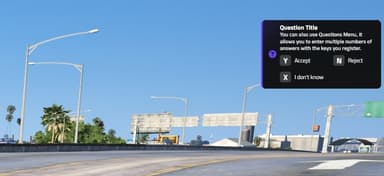
❓ Interactive Question Menu
Ask players a question and let them respond directly through an interactive notification.
Configure available answers, sounds, icons and appearance for different use cases across your server.
💬 TextUI
Display persistent on-screen information for interactions, locations and other gameplay elements.
Customize position, sound and appearance while keeping the same visual language as the rest of VMS Notify V2.
📢 Top Announcements
Display clean top-of-screen messages for server-wide information, announcements or restart notices.
🎨 Player Customization
Players can personalize selected notification and TextUI settings through the built-in customization menu without changing the server-wide configuration.
📝 GTA V Text Formatting
Use familiar GTA V formatting directly inside supported messages, including colors, input icons, bold, italic, pulse effects and other text styles.
🧩 Easy Integration
Use VMS Notify V2 directly in your own resources or enable built-in replacements for supported notification systems.
⚡ Performance
Typical resource usage:
- Idle: ~0.00ms
- In use: ~0.00ms
📖 Documentation
Complete installation and configuration documentation is available here.
💬 Support
If you need assistance, please use our official support platform.